Get started
Authentication
API keys: who can make one, what one can reach, and how to keep one safe.
Every request to the API carries an API key. A key belongs to a workspace, not to a person: it can do what any member of that workspace can do with its projects and chapters, and nothing else.
Creating a key
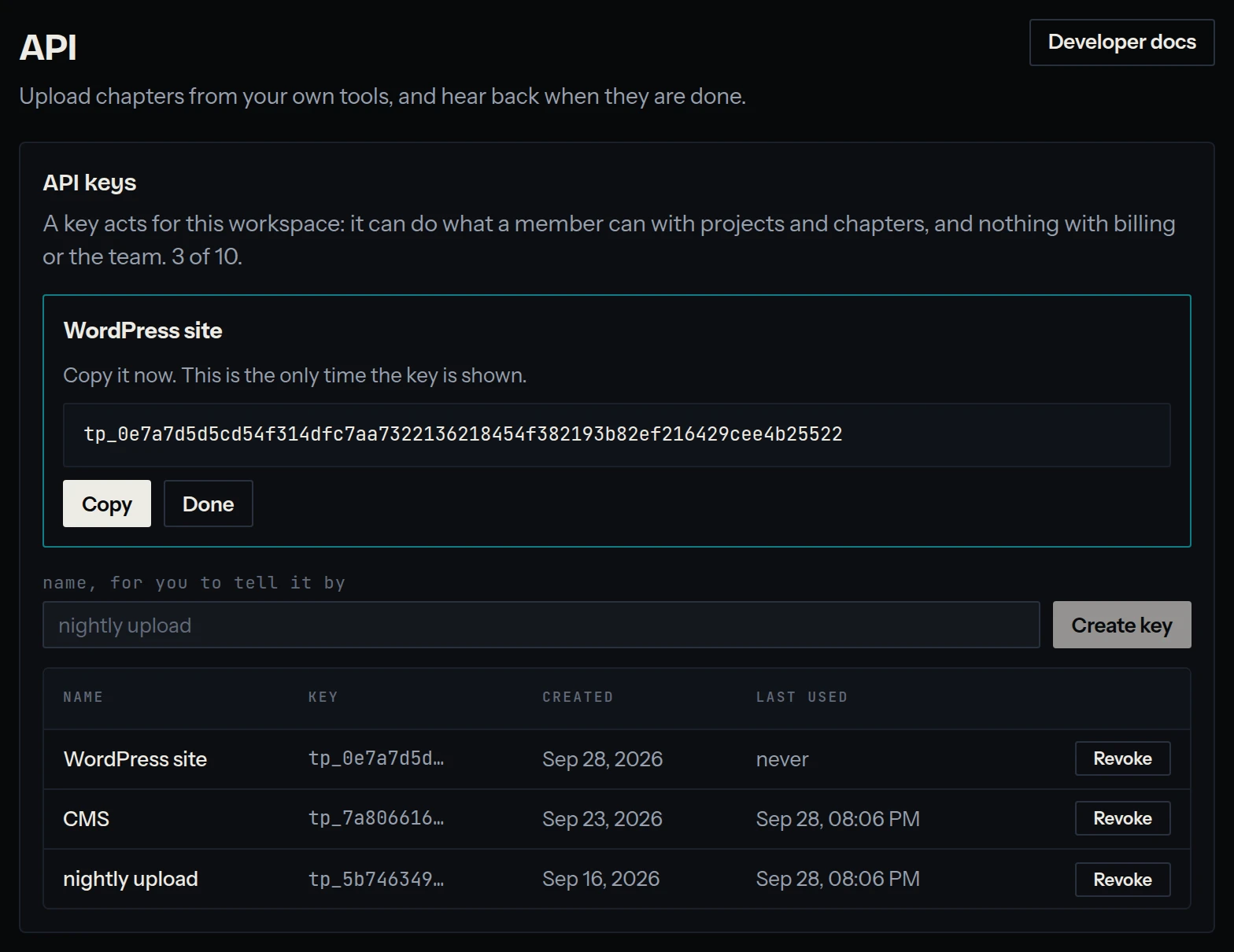
Keys are made on the API screen, by an owner of the workspace. Give each one a name that says what uses it, such as nightly upload or CMS. A workspace holds up to 10.
The key is shown once, when it is created. tinypica keeps only a hash of it, so it cannot be shown again: a lost key is revoked and replaced. The screen shows its first characters, to tell your keys apart.
Sending a key
In the Authorization header of every request, after Bearer. A key is tp_ and 64 hexadecimal characters.
Authorization: Bearer tp_3f9c2e7a…curl https://tinypica.com/api/v1/projects \
-H "Authorization: Bearer $TINYPICA_KEY"What a key can do
A key opens the routes under /api/v1, and only those: the ones in the API reference. Anywhere else, including the dashboard's own routes, it is refused:
{
  "error": true,
  "url": "https://tinypica.com/api/projects",
  "statusCode": 403,
  "statusMessage": "An API key works on /api/v1 only",
  "message": "An API key works on /api/v1 only"
}
So a key can never reach billing, the team, or the API screen itself: it cannot make another key or change a webhook. It acts for the workspace with nobody behind it, so what it creates has no author, and the dashboards open on that workspace show its changes as they happen.
Revoking a key
Revoke on the API screen stops a key at once: its next request is a 401, This API key is not valid. There is no undo.
A key also goes with the owner who made it: when that person is removed from the workspace, or made a member instead of an owner, their keys are deleted, and so are their webhook endpoints.
Keeping a key safe
- Keep it on a server. Never put it in a web page, an app someone can download, or a repository.
- Give each tool its own key, so revoking one leaves the others working.
- To replace a key without a gap, create the new one, deploy it, then revoke the old one.
- If a key may have leaked, revoke it first and find out how afterwards.
Seeing what a key did
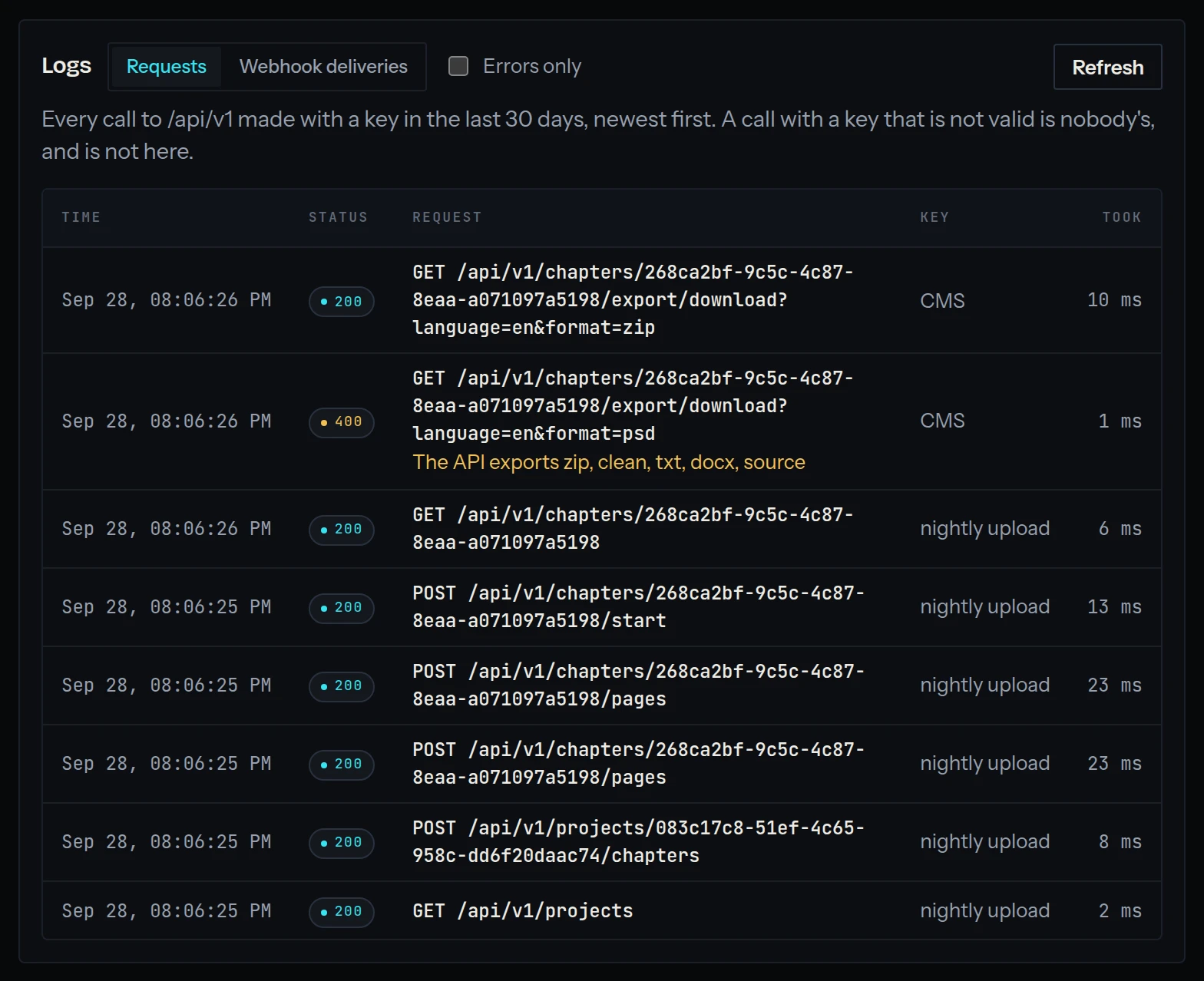
The API screen's log lists every call to /api/v1 made with the workspace's keys in the last 30 days: when, which key, the method and path, the status it was answered with, what an error said, and how long it took. A call with a key that is not valid belongs to no workspace, and a key used anywhere else is turned away before it is looked up, so neither is in any log.