Get started
Quickstart
From an API key to a translated chapter on your disk, with curl.
This page takes one comic chapter from a folder of page images to a zip of translated pages, with curl and jq. Each step is one request, and the whole script is at the end.
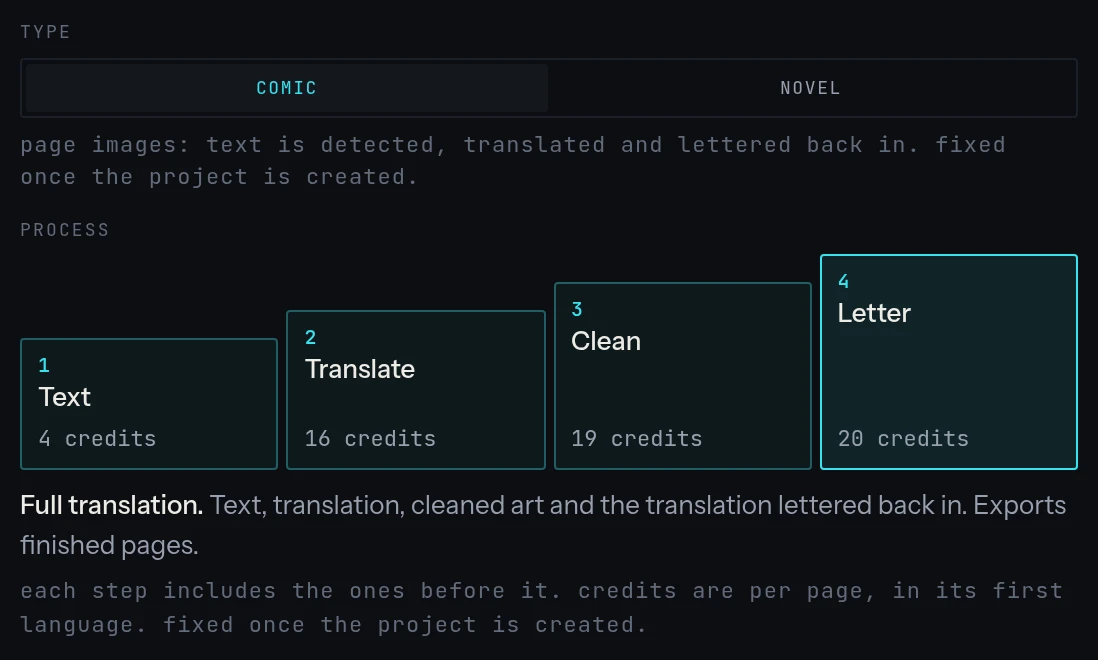
Before you start, you need to be an owner of your workspace, and to have a comic project in it set to Full translation, with English among its target languages: that is the project a run leaves a zip of lettered pages for. Projects are set up in the dashboard. Pages are images from 700 to 1300 pixels wide.
1. Create an API key
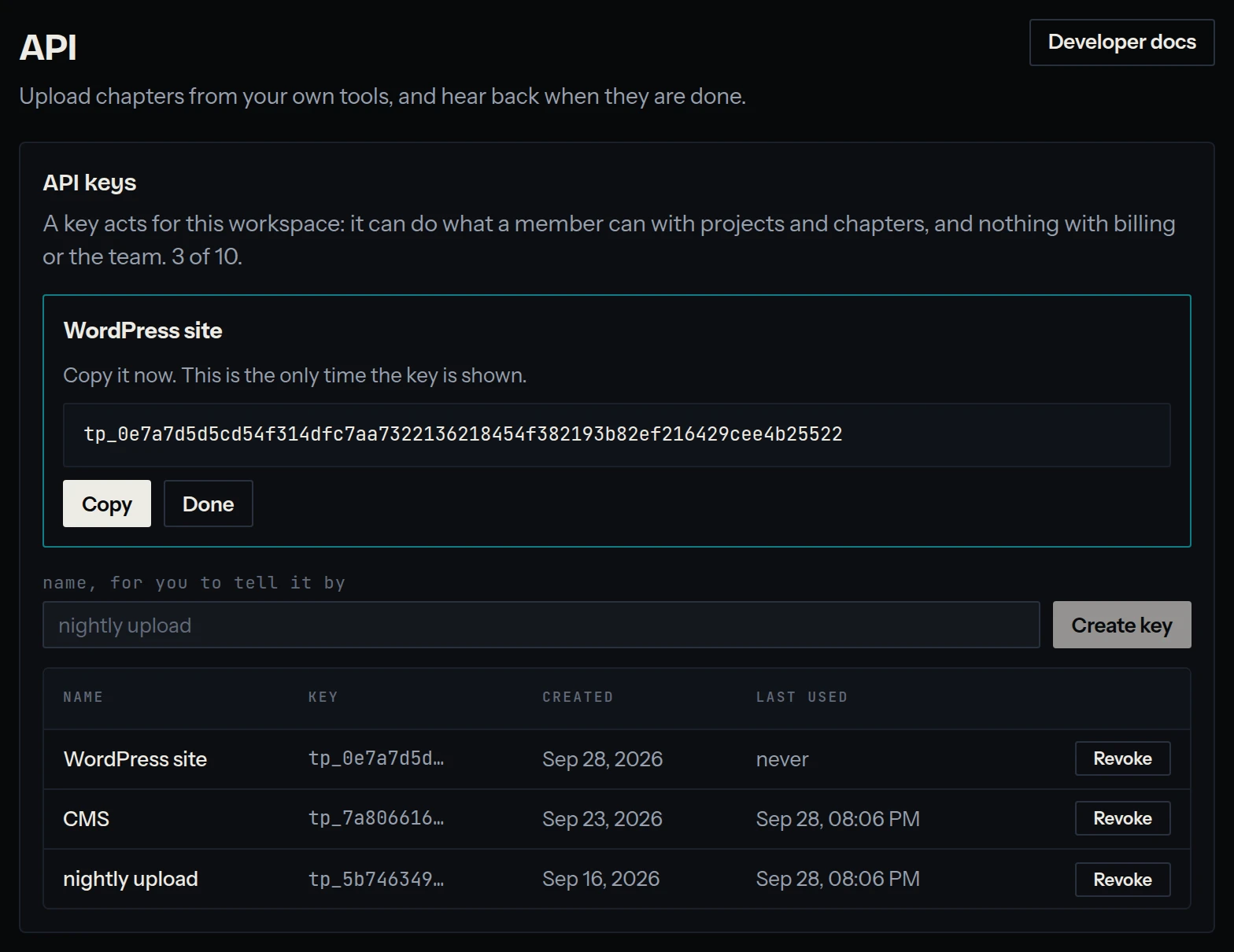
Open the API screen, give the key a name and press Create key. Copy it: it is shown this once, and never again.
Then keep it in your shell:
export TINYPICA_KEY=tp_…   # the key you just copied
API=https://tinypica.com/api/v1
AUTH="Authorization: Bearer $TINYPICA_KEY"
2. Find the project
A chapter goes into a project, and takes that project's languages, translation model and steps with it.
curl -s -H "$AUTH" $API/projects | jq -r '.[] | "\(.id) \(.name)"'0cf217a0-c404-4fd7-8732-5f83b9e766ca Pepper & Carrot
1dda5176-685f-463a-ab16-c506ea050536 Botchan3. Create the chapter
staged=1 makes the chapter empty, for its pages to follow one request at a time. It is given the next chapter number; send position to choose it.
PROJECT=0cf217a0-c404-4fd7-8732-5f83b9e766ca
CHAPTER=$(curl -s -H "$AUTH" -F staged=1 $API/projects/$PROJECT/chapters | jq -r .id)
4. Upload the pages
One request a page. hold=1 keeps the page without running it yet, and position is its page number: send a page again with the same number and it replaces itself, so a failed upload is simply retried.
n=0
for page in pages/*.png; do
  n=$((n+1))
  curl -s -H "$AUTH" -F "pages=@$page" -F hold=1 -F position=$n \
    $API/chapters/$CHAPTER/pages > /dev/null
done
curl names a part's type from its extension, and the API takes only parts typed as images. It knows .png and .jpg; for a WebP page, say so: -F "[email protected];type=image/webp".
5. Start the run
Credits are checked here, for every page in every language. The answer says how many pages were started.
curl -s -X POST -H "$AUTH" $API/chapters/$CHAPTER/start{ "chapterId": "f56d2008-9c47-4554-9deb-7edc73255de9", "pageCount": 18 }6. Wait for it
A chapter is processing until every language is translated and its files are packaged: minutes rather than seconds, more for a long chapter or a busy queue. Asking every ten seconds is plenty, and a webhook saves the asking altogether.
while [ "$(curl -s -H "$AUTH" $API/chapters/$CHAPTER | jq .processing)" = true ]; do
  sleep 10
done
curl -s -H "$AUTH" $API/chapters/$CHAPTER | jq '{ status, failed, failureReason }'
7. Download the file
# A 409 means the file is still being packaged, a few seconds behind the
# translation. Anything else is the answer: the zip, or why there is none.
for try in $(seq 60); do
  status=$(curl -s -H "$AUTH" -o chapter-en.zip -w '%{http_code}' \
    "$API/chapters/$CHAPTER/export/download?language=en&format=zip")
  [ "$status" = 409 ] || break
  sleep 5
done
[ "$status" = 200 ] && echo "saved chapter-en.zip" || cat chapter-en.zip
That is the chapter's pages, lettered in English, as one image each. Every other language the project translates into has its own file: ask for it with its language code.
The whole script
#!/usr/bin/env bash
# Uploads every PNG in ./pages as one chapter, and downloads it in English.
set -euo pipefail

API=https://tinypica.com/api/v1
AUTH="Authorization: Bearer $TINYPICA_KEY"
PROJECT=$1

CHAPTER=$(curl -sf -H "$AUTH" -F staged=1 $API/projects/$PROJECT/chapters | jq -r .id)

n=0
for page in pages/*.png; do
  n=$((n+1))
  curl -sf -H "$AUTH" -F "pages=@$page" -F hold=1 -F position=$n \
    $API/chapters/$CHAPTER/pages > /dev/null
done

curl -sf -X POST -H "$AUTH" $API/chapters/$CHAPTER/start

while [ "$(curl -sf -H "$AUTH" $API/chapters/$CHAPTER | jq .processing)" = true ]; do
  sleep 10
done
if [ "$(curl -sf -H "$AUTH" $API/chapters/$CHAPTER | jq .failed)" = true ]; then
  echo "chapter $CHAPTER failed" >&2
  exit 1
fi

for try in $(seq 60); do
  status=$(curl -s -H "$AUTH" -o "chapter-$CHAPTER-en.zip" -w '%{http_code}' \
    "$API/chapters/$CHAPTER/export/download?language=en&format=zip")
  [ "$status" = 409 ] || break
  sleep 5
done
if [ "$status" != 200 ]; then
  cat "chapter-$CHAPTER-en.zip" >&2
  exit 1
fi
Next
- Webhooks, to be told when the chapter is done instead of asking.
- Downloading files, for the cleaned pages and the script.
- Uploading chapters, for a whole chapter in one request, and for novels.
- The same upload in Node.js and PHP, in Next.js, Nuxt, SvelteKit and Laravel, and a WordPress plugin that saves every finished chapter.