Guides
How to clean text off a manga page
Erasing the original lettering without hurting the art: plain balloons, text over screentone, sound effects, and what to check afterwards.
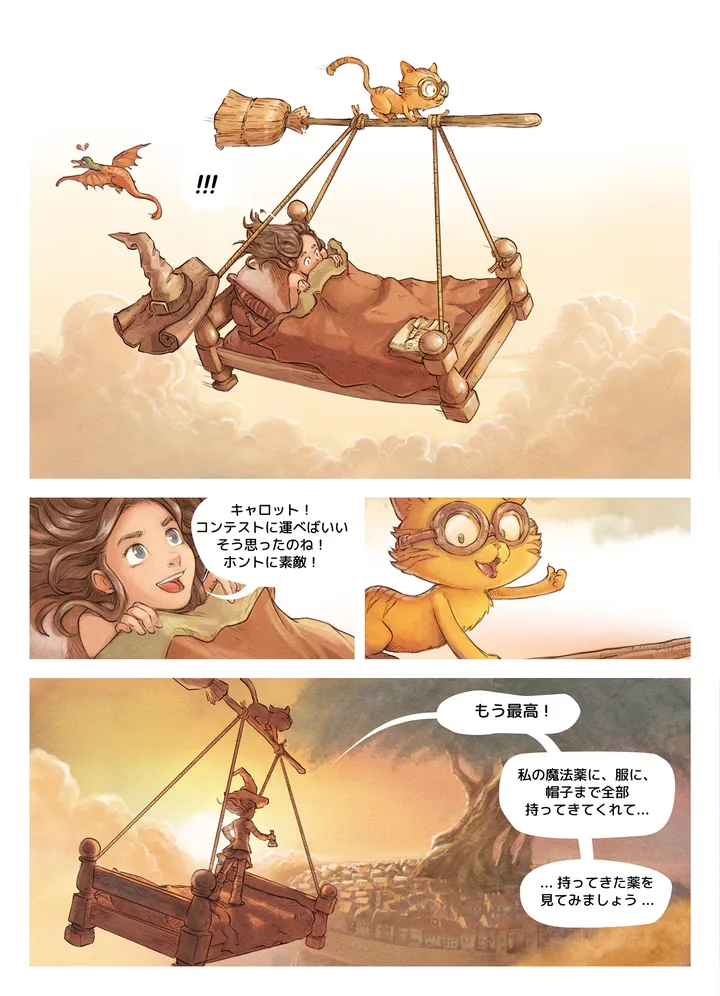
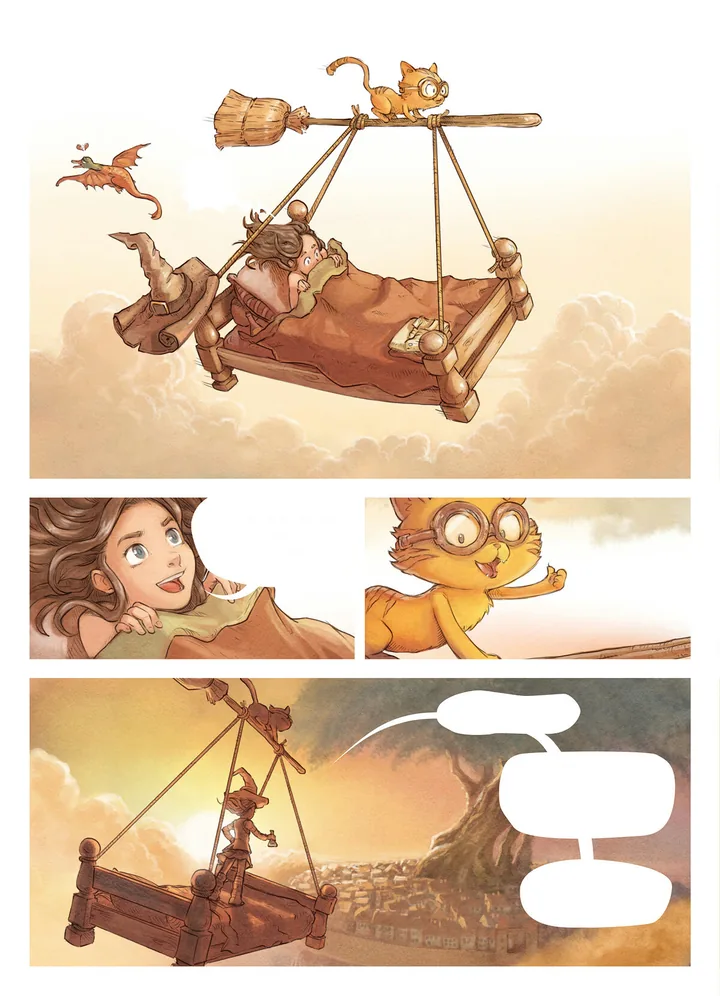
Pepper & Carrot by David Revoy, CC BY 4.0. Cleaned with tinypica.
What cleaning is
Cleaning is erasing the original lettering from a page so the translation can take its place: the words in the balloons, the captions, and the sound effects you choose to replace. It comes before typesetting because new text cannot sit on old. Whatever is left behind shows around the new letters.
A good clean is one nobody notices. The page should look as if it was drawn without the words.
Before you start
- Work on a copy. Keep the page as you received it, so you can compare against it and go back to it.
- Work at full size. Clean the page at the size it came in and resize afterwards, if at all.
- Where your image editor has layers, paint on a layer above the art. A mistake is then a stroke to delete, not a page to redo.
- Decide what stays. An artist’s signature, a logo or a shop sign in the background is often left as drawn. Settle it once for the series, so every chapter is treated the same.
Plain balloons
Most of the text on a page sits in plain balloons, and these are quick. Paint over the letters with the balloon’s own colour, or select the inside of the balloon and fill it.
- Pick the colour from the balloon itself. Scanned paper is rarely pure white, and a white patch on cream paper shows.
- Stay inside the outline. Leave the line and the tail exactly as they were.
- Watch for letters that touch the outline. Erase those by hand, then repair the line.
Text over flat tone or a gradient
A caption box or a grey panel is still one colour: pick it up next to the letters and fill with it. A gradient needs a gradient. Pick the colour at each side of the gap and blend between the two, or clone from beside the text along the direction in which the tone does not change. Then look for a seam where the patch meets the page.
Text over screentone or artwork
This is the hard case. When letters cross screentone, hatching, hair or a background, there is no colour to fill with. You have to rebuild what was behind the letters from what surrounds them.
- Clone from a nearby area with the same pattern, and keep the dots lined up. Screentone that is a fraction out of step shows as a seam.
- Where a drawn line passes under the letters, such as the edge of a shoulder or a speed line, redraw it across the gap at the same weight.
- A healing or fill tool can give you a start on irregular texture. Check what it made: such tools tend to smear a regular dot pattern.
It is slow work, and it is where a careful clean differs from a quick one.
Sound effects
Sound effects are drawn into the art, often large and often across a figure. There are three usual ways to treat them:
- Replace: erase the effect and draw it again in the new language. The most work, because all the art beneath it has to be rebuilt.
- Keep and caption: leave the original and set a small translation beside it.
- Leave: keep the original with no translation.
Choose one for the series and hold to it. A half-erased effect is worse than any of the three.
Check the page
Look twice: once at the size it will be read, once at 100%.
- At reading size, flip between the original and the clean page. Nothing but the missing text should catch your eye.
- At 100%, look for ghost edges, the faint grey outline of a letter that was not fully covered.
- Look for smudges, and for the same cloned patch repeating.
- Check that no balloon outline was thinned or broken by a fill.
In tinypica
Page cleaning is the third of four steps. When you make a project, stop its Process at Clean. The text on each page is read and translated, and the original lettering is painted out of the art. You get the clean pages as JPEG images in a ZIP, numbered in page order, with the translated script beside them, ready for your own letterer. Exports lists every file.
The page you uploaded is kept: the editor switches between Source and Cleaned. Changing a line yourself never cleans the page again and costs nothing. The art is cleaned once, however many languages you add.
Cleaning covers the text that was found, and all of it. A sound effect that was missed stays on the page, and one you wanted to keep is painted out with the rest. Text drawn across busy artwork can leave marks, so expect to touch up the hard ones. Cleaning comes with the translation: a chapter you only want cleaned still pays for the translation step. See credits and plans.
Common mistakes
- Pure white fill on off-white paper.
- A fill that eats the balloon’s outline or its tail.
- Screentone cloned out of step, or one patch stamped until the repeat shows.
- Checking only zoomed in, or only zoomed out.
- Saving over the only copy of the original page.
- Sound effects replaced in one chapter and left in the next.