Guides
How to translate a manga chapter
The whole job in order: read the page, translate it, clean the art, letter it back in and check it. What each step takes, and where the time goes.
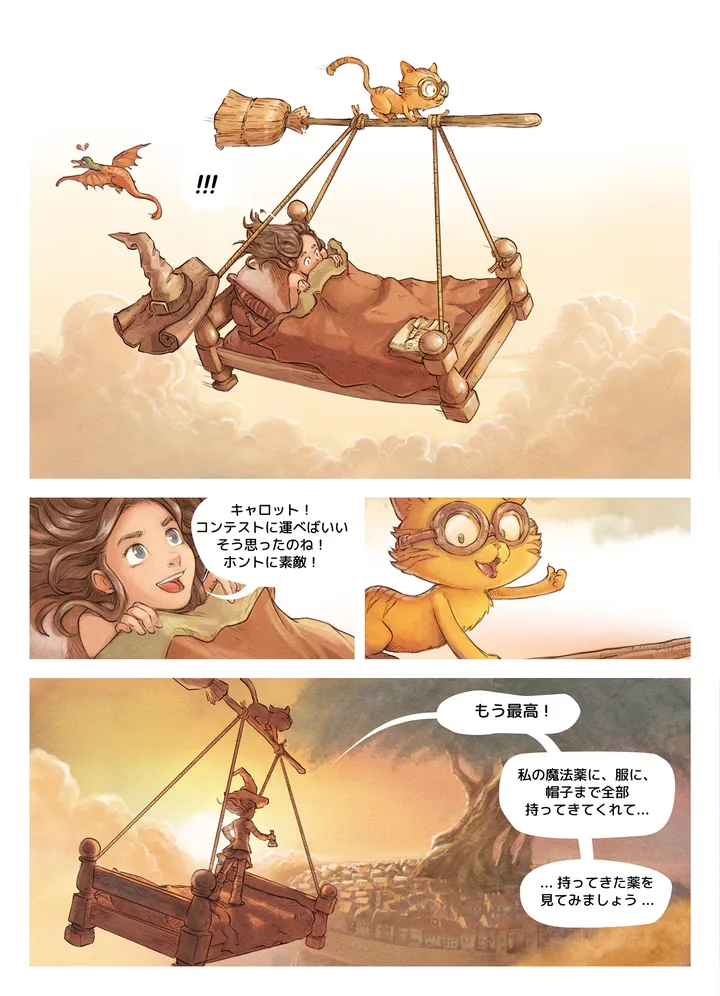
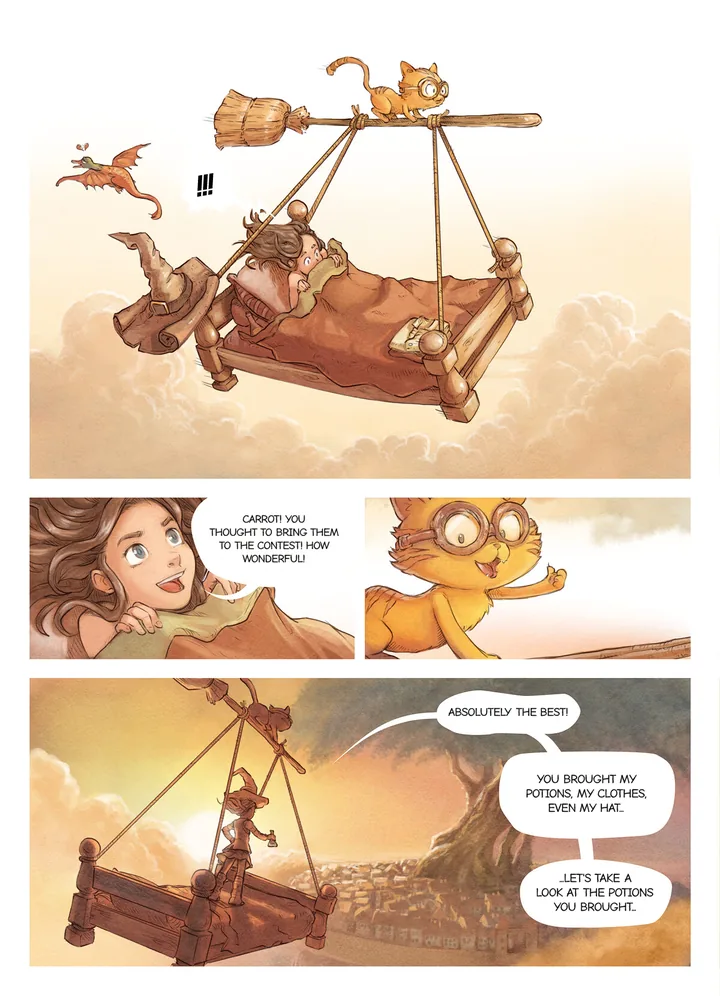
Pepper & Carrot by David Revoy, CC BY 4.0. Translated and lettered with tinypica.
What the job consists of
Translating a chapter is four stages done in order, then a check. Scanlation groups often give each stage to a different person, but the order is the same when you work alone.
| Stage | What it takes | What you end with |
|---|---|---|
| Read the text | The source language, and patience with small or handwritten text | A script: one line per balloon, in reading order |
| Translate | Both languages, and the story so far | The script in your language |
| Clean | An image editor and a steady hand | The art with no lettering on it |
| Typeset | An eye for type | The finished page |
Cleaning and typesetting are usually where the hours go, because every balloon is handled one at a time. Translation is where the judgement goes.
Before you start
- The raw pages, at the largest size you can get. Small text that is blurred in the file cannot be read with confidence, and a small, heavily compressed page is harder to clean.
- The reading direction. Japanese manga reads right to left, panel by panel and balloon by balloon. Most Western comics read left to right. A webtoon reads top to bottom as one long strip, which is cut into pages first: see how to split a long webtoon strip.
- A term sheet: one place that lists every name, honorific and coined term with the spelling you settled on. Start it before chapter one.
Translate what you have the right to translate: your own work, work you have permission for, or work whose license allows it. The page shown above is one of the last kind.
Read the page into a script
Write out every piece of text, one line per balloon, in the order a reader meets it. Number the lines page by page, so whoever letters the chapter can find each one.
- Take everything, not only the balloons: captions, signs, handwritten asides and sound effects.
- Mark what kind of text each line is: speech, thought, shout, caption or sound effect. It decides the typeface later.
- Note who is speaking wherever the art makes it clear. The translation depends on it.
Translate the script
Translate the page, not the line. Read the whole chapter first. Japanese often leaves out the subject of a sentence, so who is speaking to whom has to come from the panel.
- Write for the space. A line has to fit the balloon it came from, and a faithful translation that runs twice as long will not.
- When a name or a coined term first appears, decide its spelling and put it on the term sheet.
- Decide once for the series whether honorifics such as “-san” stay or go.
- Decide once for the series what happens to sound effects: translate them, keep the original with a small translation beside it, or leave them alone. Each is accepted practice. Changing between chapters is not.
Clean the page
Erase the original lettering so the art looks as if nothing was ever written on it. A plain white balloon takes a moment. Text that sits over screentone, a gradient or the drawing itself has to be redrawn, and that is the slow part. Clean only what you will replace: if the sound effects stay, leave them. How to clean text off a manga page covers each case.
Typeset the translation
Set each translated line in its balloon. Use one typeface for each kind of text and keep to it for the whole series: which font for which balloon goes through the choices. Break the lines to the balloon’s shape and keep the dialogue on a page at one size. When a line does not fit, shorten the line before you shrink the type. How to typeset a manga page has the detail.
Proofread on the finished page
Read the finished chapter from start to finish as a reader would, with the script closed. Mistakes that hide in a script show on the page: a line in the wrong balloon, a reply that does not follow the question, a name spelled two ways, a speck of the original text, a balloon left empty. Then go through it once more beside the raw pages and look for missed lines. Small text outside the balloons is the easiest to skip.
In tinypica
tinypica runs the same four steps on the pages you upload: Text, Translate, Clean and Letter. When you create a project you pick where a chapter stops. Stop after the translation and you get the translated script. Stop after cleaning and you get the cleaned pages and both scripts. Run all four and you get finished pages. A project translates into one or more of 16 languages.
The project’s glossary is the term sheet: each name and term with its translation, used for every chapter of the project. A locked term is enforced on every run. Every line stays yours to change in the editor, and lettering the changed pages again is free. Your first chapter walks through all of it.
The translation is drafted by the translation model you pick. Treat it as a first draft and do step 5 yourself: read every line on the finished page. The step a chapter stops at and the reading direction are fixed when the project is created. Chinese can be translated but has no lettering face yet, so a Chinese run stops at the clean page.
Common mistakes
- Translating line by line without reading the chapter first.
- No term sheet, so a name is spelled one way in chapter 3 and another in chapter 12.
- Cleaning sound effects off the art with no plan for what replaces them.
- Shrinking the type to fit a long line instead of shortening the line.
- Proofreading the script and never the finished page.