Text extraction

Every line on the page, read for you.

Drop a chapter in. tinypica finds every bubble, sound effect and caption, reads them in order, and gives you the script as a text file. Nothing is translated. The art is never touched.

1,000 credits on signup · no card required
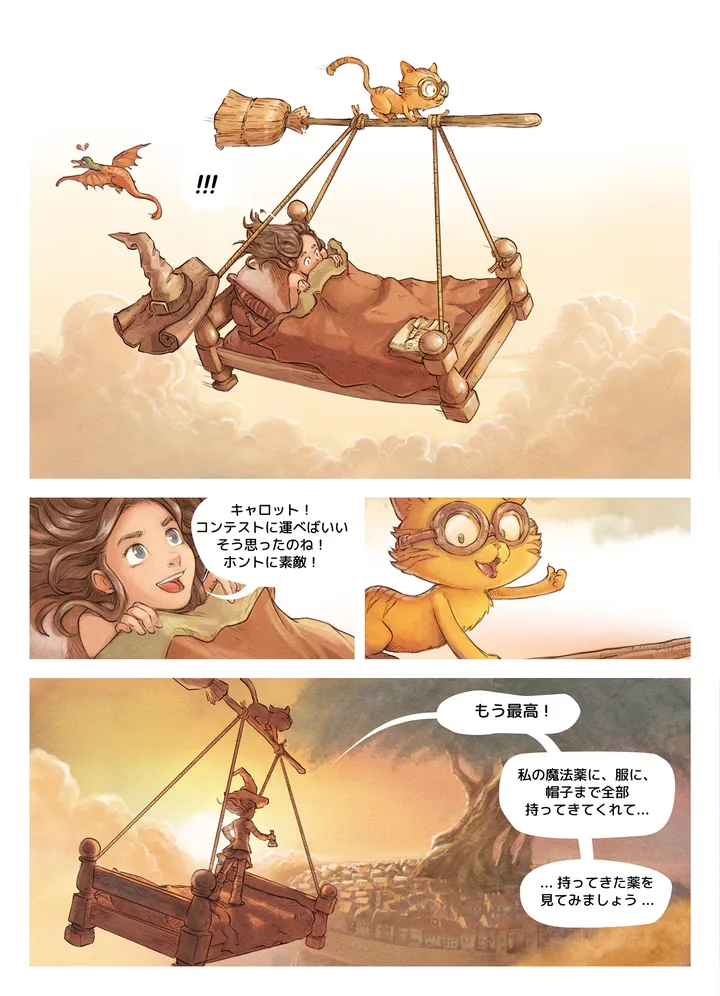
A Japanese comic page with every speech balloon and sound effect outlinedR-01R-02R-03R-04R-05

5 lines found · chapter-1-source.txt

  1. R-01!!!
  2. R-02.キャロット!コンテストに運べばいいそう思ったのね!ホントに素敵!
  3. R-03もう最高!
  4. R-04私の魔法薬に、服に、帽子まで全部持ってきてくれて...
  5. R-05...持ってきた薬を見てみましょう...

bubble · sound effect · caption, in reading order

the page as uploaded, with every text region found on it · Demo page: Pepper & Carrot by David Revoy, CC BY 4.0. Modified by tinypica: read, translated and re-lettered.

Price

4credits a page

Same price on every AI model.

You get

Source TXT

The script as read, one file per chapter. Exports are free.

Works on

any language

Your pages can be in Japanese, Korean, Chinese or anything else. There is no source-language list.


Where it falls short

The honest version, so you can decide.

We are in beta. Every line stays editable, so a miss is a quick fix, not a blocker.

  • Dense sound effects drawn over artwork are still missed sometimes.
  • Handwritten or heavily stylised lettering reads worse than printed type.
  • Reading order follows the page, so an unusual panel layout can come out shuffled.

Questions

What people ask first.

Which languages can it read?
Any. There is no list to pick from: pages in Japanese, Korean, Chinese, English or anything else are read as they are.
Does it work on long webtoon strips?
Yes. A long-strip chapter is read as one strip, whatever files it arrives in, and cut into pages at the gaps between panels. A balloon that was split across two files is whole again before it is read.
What do I get at the end?
The script of the chapter as a plain text file, every line in reading order. The same lines sit on the page in the editor, where a misread one can be corrected by hand.
How does it know the reading order?
From the reading direction you pick when you create the project: right to left for manga, left to right for comics, top to bottom for a long strip. The script follows that order.

Run a page free.

1,000 credits on signup, no card. Pick “Text only” when you create the project.